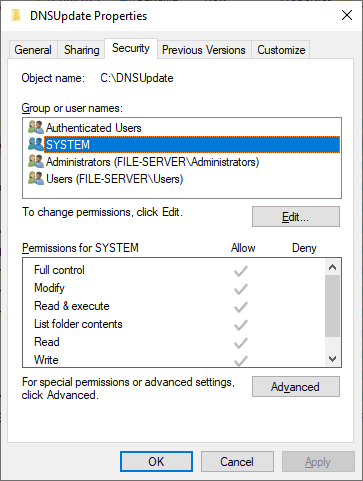
Hi @webprofusion, thanks for the feedback. I have updated the batch file to use cURL, which I already had installed on the machine and had forgotten about it. The system has full access to the folder (see screenshot below). I have also changed the DNS Update Method to multiple settings, saving between each change, and then back to the (Use Custom Script) and I still get the same error.
Here is the updated (redacted of course) batch file, which of course works perfectly when run manually:
@echo off

curl "https://www.duckdns.org/update?domains=wb6vpm&token=***REMOVED***&txt=%3&verbose=true"