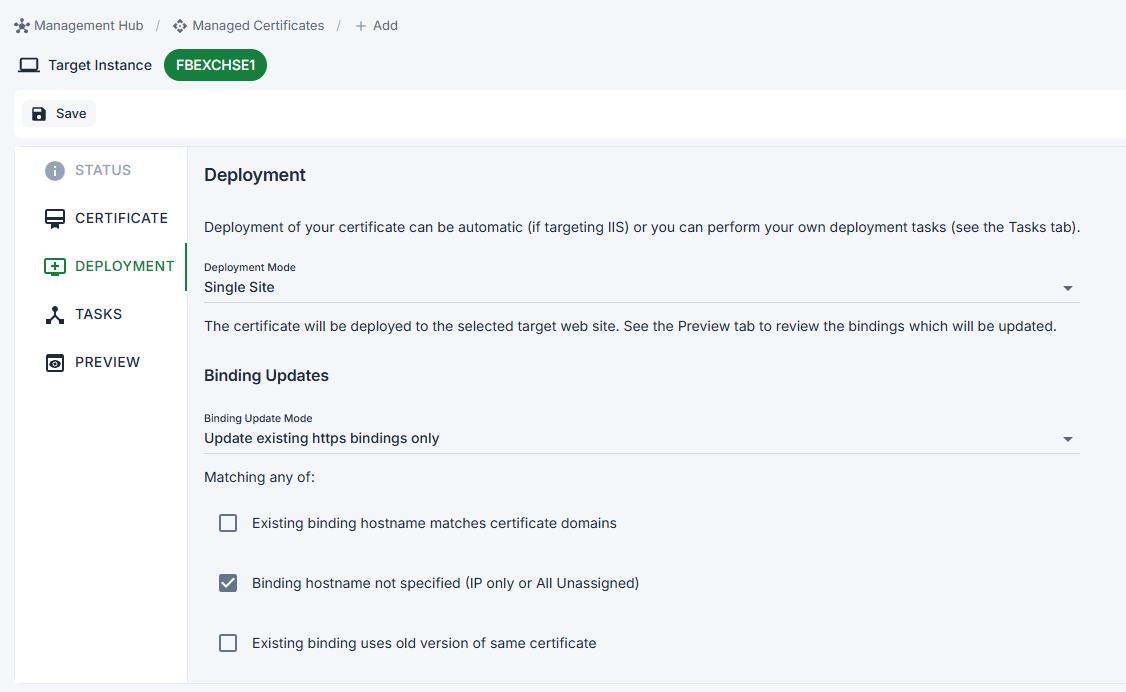
When deploying to IIS, I pick Single Site for the deployment mode, I don’t get the option to pick the site to deployment to. There’s a spot that says its “selected in Certificate tab” but I’m not seeing that either… Same result via hub or on the instance. 7.4.1 on Windows 2025.
Hi,
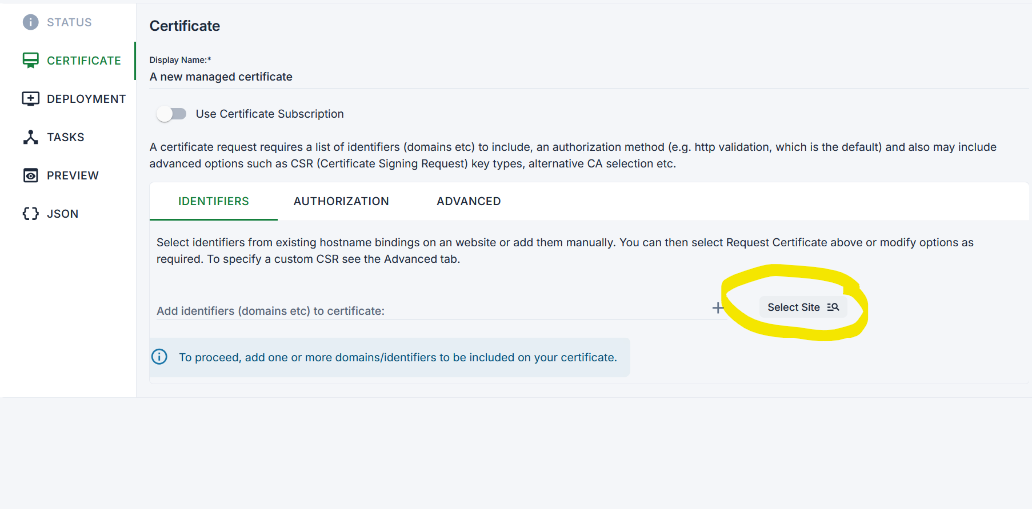
The site selection is in the Certificate tab as that’s also used to populate the list of identifiers to include on your certificate (which can be manual or pre-populated from a site).
In general you should use the Auto deployment mode unless you have a really specific need to target a single site, single site targets can break is IIS site IDs change later.
If you are not seeing the Select Site option please send us through more details to support at certifytheweb.com.
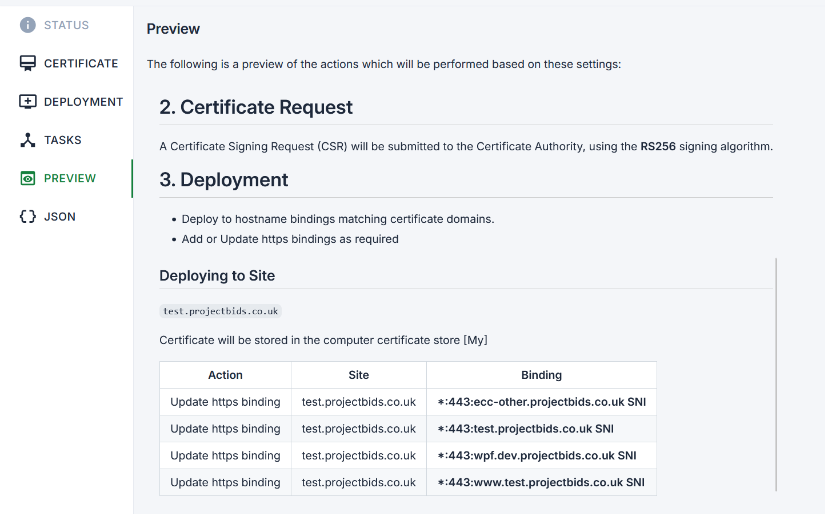
You should also use the Preview tab to confirm that the app will match add/update the bindings you expect:
In digging since I posted I came across 2 things:
- I’m using a subscription… so no way to apply a cert to one site on a box if you want to pick the site, you have to use SNI if you need this.
- This is an Exchange box, so the cert will get auto applied with the Exchange scripts…
Thanks for pointing me at the local install solution.
As an aside, for IIS sites you should use SNI with unassigned IP all the time, as most users struggle to understand why the wrong cert if served when they add a another site to IIS later. It works without for single site boxes