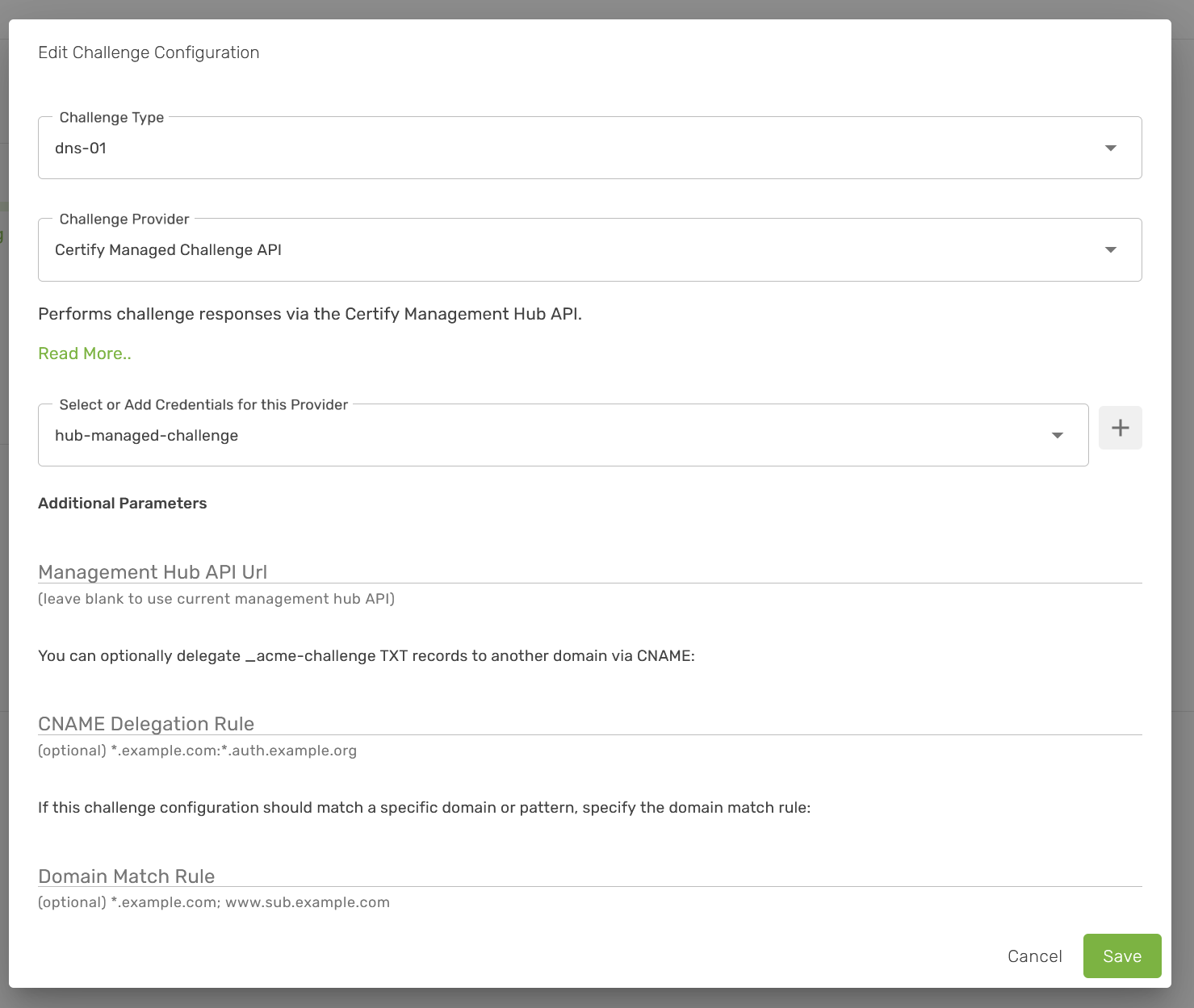
I have a computer JOINED to the CMH. I am actually trying to do everything via the CMH. I have setup https and it appears to work, and I was able to join the computer.
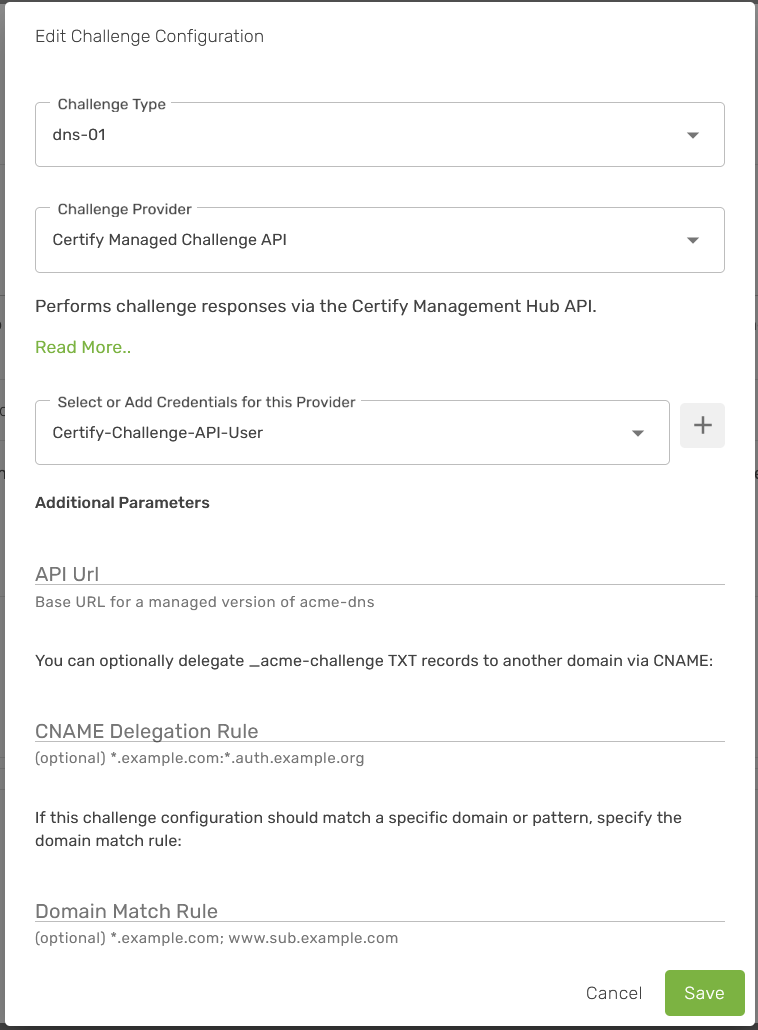
I am currently using DNS-01 with ClouDNS on the local machine and everything is fine. I have added on the Hub to Managed Challenges the ClouDNS entry (question about that in a second). I try to change the server to use a managed challenge. It insists “Authorization challenge response configuration parameter required: API Url” but according to the DOCS (Managed Challenges | Certify The Web Docs) I don’t need to specify the URL (since as specified I am hub joined).
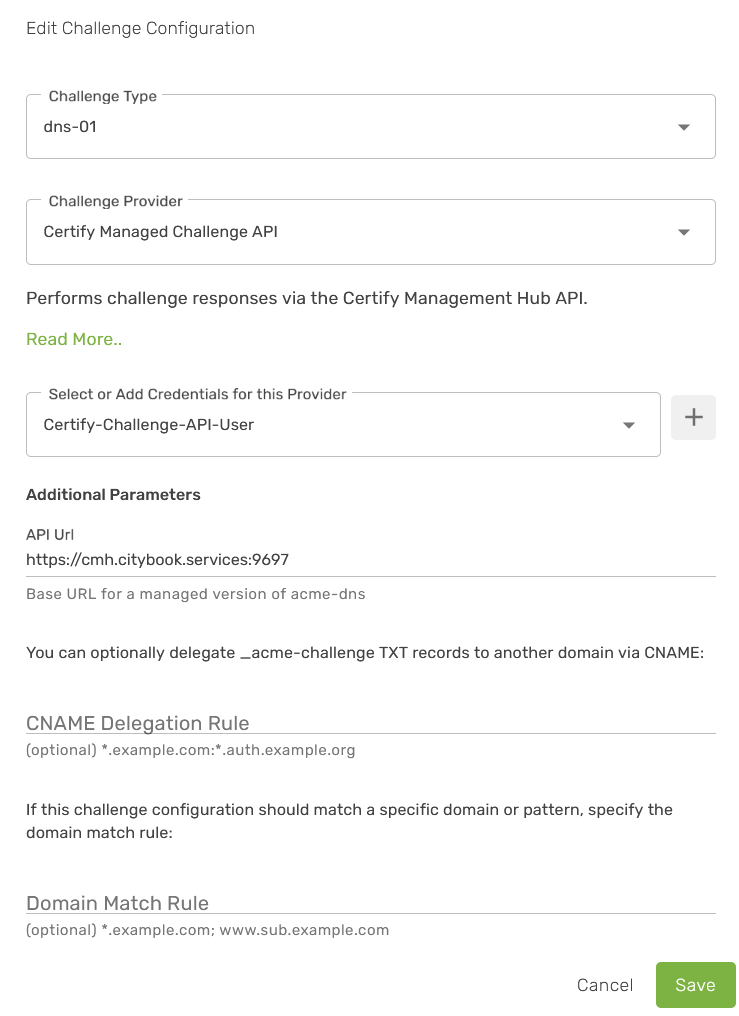
If I do specify https://cmh.mydomain.services:9697 (okay valid but that isn’t the domain and it isn’t avaliable externally) I get an error (twice).
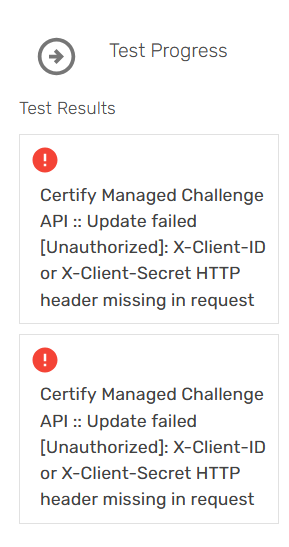
Certify Managed Challenge API :: Update failed [Unauthorized]: X-Client-ID or X-Client-Secret HTTP header missing in request
So either I’m doing something wrong, or it isn’t working yet?
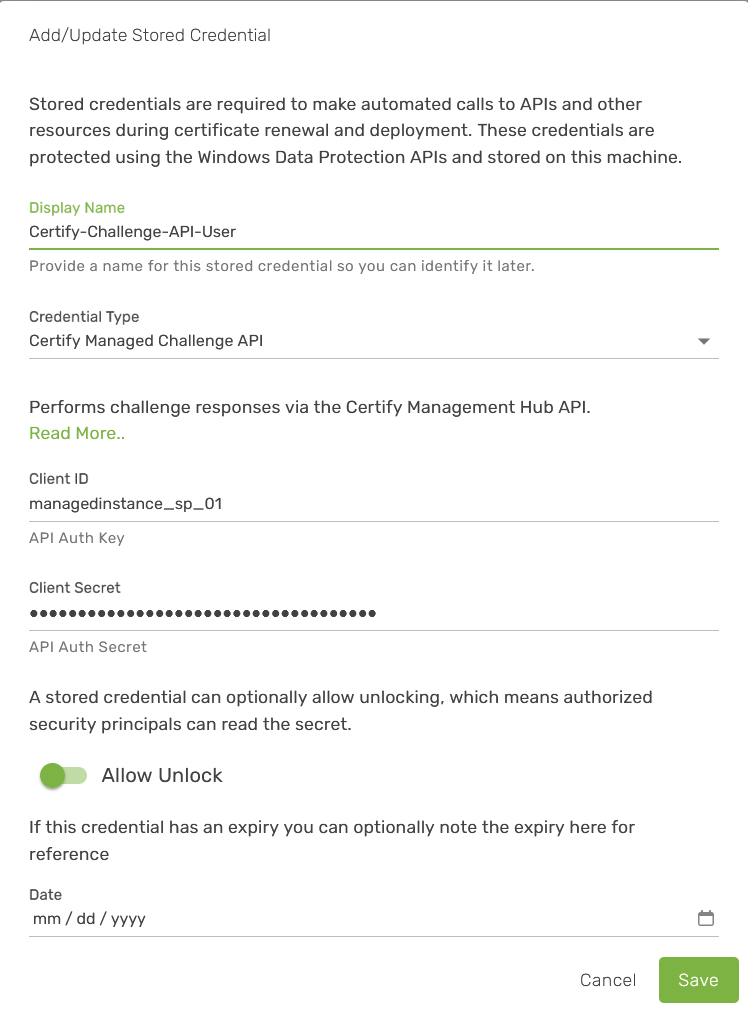
Managed Challenges used from an instance currently require distinct API key credentials (not just the hub joining key) for a Service Principal which has been granted the Managed Challenge Consumer role under Security.
However, in the next update instances will be able to use the joined hub and the default joining key as auth (plus some automated identity HMAC things that happen behind the scenes to authenticate the instance). So all you will need to do in the instance is specify that you want to use the Managed Challenge API. On the hub you will need to do some new security configuration to specify that instance is allowed to use (certain) managed challenges, but in general it will be easier to setup. That’s just being refined and tested now.
We will also be introducing Certificate Subscriptions which allow an authorized instance to subscribe to a cert that’s renewed by the hub itself and I suspect that will be the option most people will end up using.
Any idea when the next update will be coming down the pipes. Not fully following what I need to make it work now, because it sounds like adding the permission should work, but I guess I really do need a second API credential.It sounds like to be honest waiting for the next release is the way to go. So for now I guess I’ll do that. Just would love a guesstimate on the next release.
I should say the webpage is fast (in my case though not much there yet). Seems simple and easy to get the status of everything.I connected it to Entra (Azure) ID with ease, and that seems to work well as well.
Thanks for the feedback! As for an estimated release, the previous improvements particularly around certificate subscriptions have led to a bit of reorganization (like not necessarily requiring new API credentials for instances to use managed challenges etc) but it’s a bit of pivot in terms of that design.
The current permissions are not fine-grained, what we’re trying to do now is allow certain things access to specific other things in as open or limited a way as you require. Instances will now get an auto generated Security Principal that roles can be assigned to, and their role can be tag scoped, which restricts what they can access based on the tags that thing has.
The original estimate for this next release was 2 weeks ago, but these changes are worth including because they do improve manageability and somewhat simplify security while paradoxically making it more secure.
As a workaround you can assign the Managed Challenge Consumer role to the default managed instance joining key (under security > users) and select that as the credential in the instance, or add a new Security Principal, assign the role and add an API key.
Sorry, my bad. I failed to note that the account managedinstance_sp_01 (auto created), I added the role Managed Challenge Consumer. Yet I am still unable to actually access the managed challenges with the errors listed in the first message (I had already added the role).
Did you add/select the credential to use in the dropdown? Currently the app doesn’t auto-use the joining key for API auth, in the next version it will.
Here is an example using the current method (configuring an API key for a specific application security principal), where I have configured an API key for a Security Principal and scoped it the Managed Challenge Consumer:
The new application Security Principal exists under Users with Managed Challenge Consumer role (UI is slightly different in our dev version):
Thanks for trying that, what’s odd is that the API url field isn’t called “API Url” in the code and hasn’t been a required field for about a year, which suggests there is some stale configuration being loaded perhaps from the previous DNS provider configuration.
Could you try deleting the Challenge Configuration and add it again? This time select the credential but try it without the hub API url.
Can confirm this behaviour on a completely fresh install of 7.0.17 management hub. There are two bugs here. One the form is not updating correctly from the default “Certify DNS” option - if you switch directly to “Certify Managed Challenge API” the API Url field sticks from “Certify DNS”. If you choose anything else first and then “Certify Managed Challenge API” the form gets correctly updated and shows the optional Management Hub API URL.
The second is that it unfortunately still runs into the Unauthorized error even with this “trick”
In 7.0.18 we have a new method (docs to be updated) which lets you assign the “Managed Challenge Consumer” role to specific instances, and optionally restrict that by tag.
This way the auth happens automatically without the need for additional API keys and minimal config per instance/managed cert, and you can scope access to specific instances easily.
Under Settings > Security > Users > Managed Instances, click the roles icon (people+), assign Managed Challenge Consumer , optionally with a specific tag filter (like an environment, dept or application tag that’s already in use). Clicking the eye icon will show which items this role assignment gives access to.
Tag your managed challenge with the same tag (if you are tag scoping access).
In the app, set authorization challenge type to dns-1, Certify Hub Managed Challenge API. Leave everything else default. Click Test to try a test managed challenge (the hub should create _acme-challenge-test records and remove them again).
Thanks, Managed Challenge is now working! Unfortunately it does not show the required acme-dns CNAMEs you need to set if you set up acme-dns as Managed Challenge but you can workaround that by creating a acme-dns cert request on the Hub and use the “Test”-Button to setup the acme-dns accounts and get the CNAMEs, as the acme-dns accounts getting stored by the hub i can use the stored accounts then via Managed Challenge (i do not request the acutal cert from the Hub - just the Test-Button to get the CNAMEs).
Of course it could also be working by adding the cert to the Hub and then use the new “External Source” for the client but then i would have the cert twice shown up in Hub.
Thanks for the great work, it really helps a lot out there especially if you have maaaaany servers and different environments you want to control.
And special thanks for implementing OIDC! EntraID SSO is really nice.
Thanks, the acme-dns scenario is a good point, the assumption with managed challenges is that you are using a “real” DNS provider and that they are likely being used by someone who doesn’t have the DNS credentials and wouldn’t have access to add a CNAME.
However it’s a scenario we should try to support.
[If creating a lot of certs I’d suggest delegate to an auth subdomain on a supported provider, e.g. NS auth.yourdomain.com to AWS Route 53 etc, then setup the CNAME delegation rule in the managed challenge. That means you don’t have anything writing to your main DNS and you still get fully automated challenges)
Yeah our use case is using acme-dns as managed service via Hub - thus not exposing the acme-dns api to the public only to the Hub. With this you can design a MSP like setup where you manage multiple different environments and have a clean and secure way of handling the challenges for all the different domains.
If you take suggestions it would be awesome if the Hub could start and stop the acme-dns binary only when challenge-updates are happening (like you do with httpChallengeServer) - as its written in Go its totally running even under Windows just fine - that would be a major win for this scenario. Or maybe just via pre- and post-usage scripts in Managed Challenges? Then even the dns service would not be exposed to the public 99 percent of the time when it isn’t needed.
Ah so you are running your own acme-dns process on Windows? If you make it a windows services you should start it on demand and have it auto-stop after a period of inactivity (which is what we do with the http-challenge service.
Eventually we anticipate that most people will move to dns-persist-01 when it becomes available, as that will let you create a single TXT record that permanently allows domain validation.
nevermind - might was just a short cache/display bug - the required dns entries are showing now for normally created certs with managed challenges as authorization
Finally tried this. Unfortunately still no go. I got the following error.
Failed [Certify Hub Managed Challenge API]: System.Collections.Generic.KeyNotFoundException: The given key ‘authkey’ was not present in the dictionary. at System.Collections.Generic.Dictionary`2.get_Item(TKey key) at Certify.Providers.DNS.CertifyManaged.DnsProviderCertifyManaged.CreateManagedChallengeRequest(DnsRecord request) in D:\a\certify-internal\certify-internal\src\certify-build\certify\src\Certify.Providers\DNS\CertifyManaged\DnsProviderCertifyManaged.cs:line 149 at Certify.Providers.DNS.CertifyManaged.DnsProviderCertifyManaged.CreateRecord(DnsRecord request) in D:\a\certify-internal\certify-internal\src\certify-build\certify\src\Certify.Providers\DNS\CertifyManaged\DnsProviderCertifyManaged.cs:line 102 at Certify.Core.Management.Challenges.DnsChallengeHelper.CompleteDNSChallenge(ILog log, ManagedCertificate managedcertificate, CertIdentifierItem domain, String txtRecordName, String txtRecordValue, Boolean isTestMode) in D:\a\certify-internal\certify-internal\src\certify-build\certify\src\Certify.Core\Management\Challenges\DNS\DnsChallengeHelper.cs:line 407
I think that happens if you try to use the managed api from the hub server itself?
It is working fine in my setup without any problems - what is your exact setup right now for this?