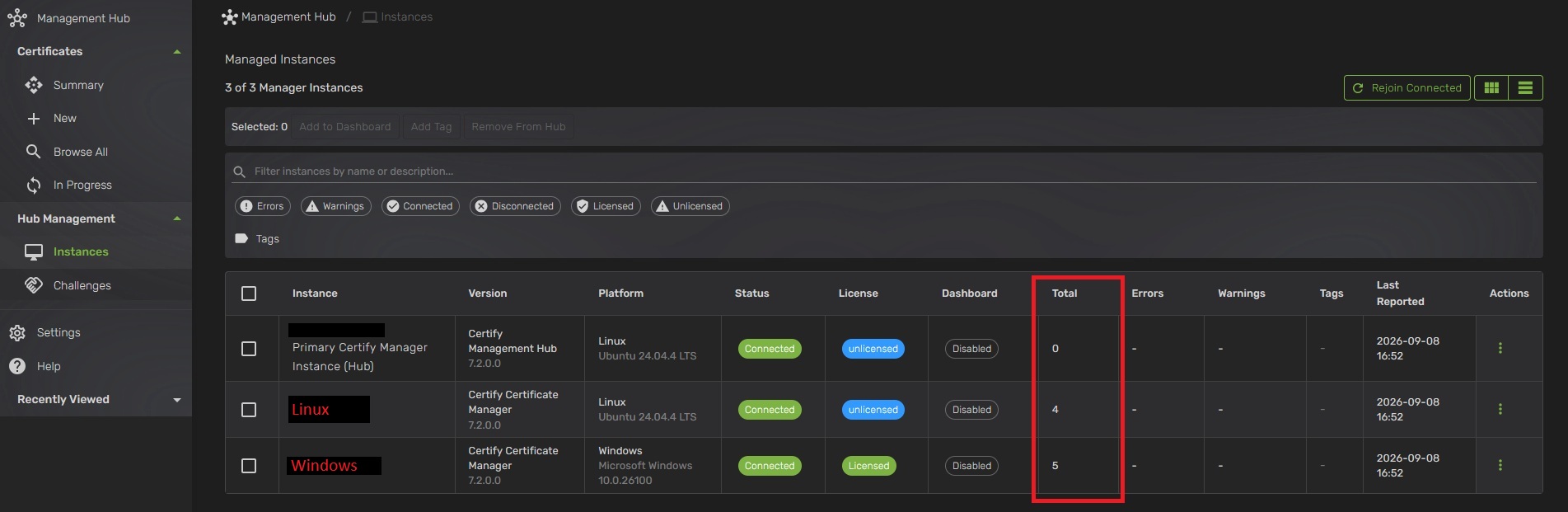
Hello, I am working on implementing Management Hub and have run into a snag. We have existing infrastructure using the CTW Windows client and we also use acme.sh with CTW as the DNS provider for acme-dns.
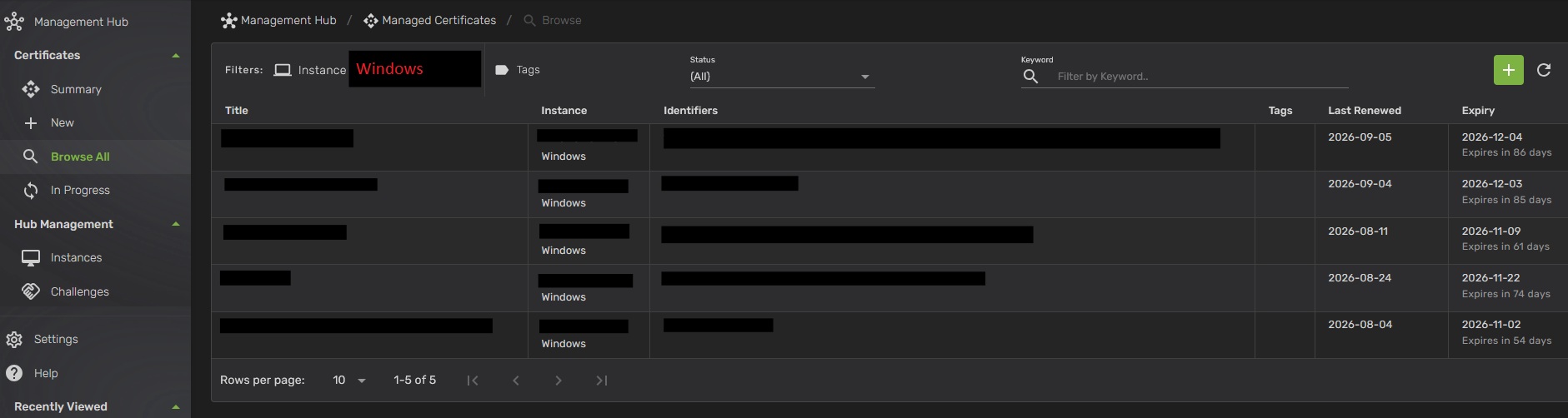
We have not been using Hub up until now. I am running the docker image for Hub 7.2.0, joining a Windows client to it worked without a hitch. I was also able to successfully join an Ubuntu box running acme.sh with the Management Agent. I gave the agent read access to ~/.acme.sh and it was able to pull the fact that there are 4 managed certificates on this particular server. However, it is not displaying details about what those managed certs are. I will attach screenshots to the post.
To troubleshoot I pointed the agent at the literal path for .acme.sh. I also enabled logging in the acme.sh conf file and pointed the Hub at the log path. Additionally, I set the agent to ‘Debug’ log level instead of the default ‘Information’. Any input? Hopefully I have not missed something in the documentation that would answer this question.