Hi! I’m doing automation and I have only one problem - I cant add the credential store correctly
I haven’t found any documentation or examples, but if I replace it manually, everything works
My attempt:
& ‘C:\Program Files\CertifyTheWeb\Certify.exe’ credential store “79d1d638-2cab-4204-b47e-9a61d04cd322” “rfc2136” DNS01.API.PoshACME.RFC2136 ‘{“DDNSKeyName”:“rfc2136”,“DDNSKeyValue”:“tsig base 64”}’
Hi,
You got pretty close but the escaping of quotes can be very tricky, try the following, note the inner JSON using single quotes:
& "C:\Program Files\CertifyTheWeb\Certify.exe" credential store "79d1d638-2cab-4204-b47e-9a61d04cd322" "rfc2136" DNS01.API.PoshACME.RFC2136 "{'DDNSKeyName':'rfc2136','DDNSKeyValue':'tsig base 64'}"
RFC2136 with nsupdate as DNS API (using Posh-ACME) :: Error: nsupdate returned non-zero exit code which indicates failure. Check -Verbose output for details. в Send-DynamicTXTUpdate, C:\Program Files\CertifyTheWeb\Scripts\DNS\PoshACME\Plugins\RFC2136.ps1: line 319
в Add-DnsTxt, C:\Program Files\CertifyTheWeb\Scripts\DNS\PoshACME\Plugins\RFC2136.ps1: line 64
в , : line 41
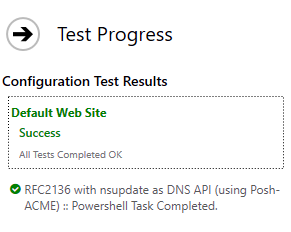
after replace credential store by hand
Thanks, we’ll investigate if we can reproduce a disparity between manually entered credentials and the command line. We don’t currently have an nsupdate target to test against internally.